 ID Photo
Free ID photo app
An ID photo,
at your own pace.
Choose a size. Take a photo or import one. Adjust the result, then save a single photo or a print sheet.
See how it worksFor iPhone · Coming soon
How it works
From a photo to a print in three steps.
- 01
Choose your size
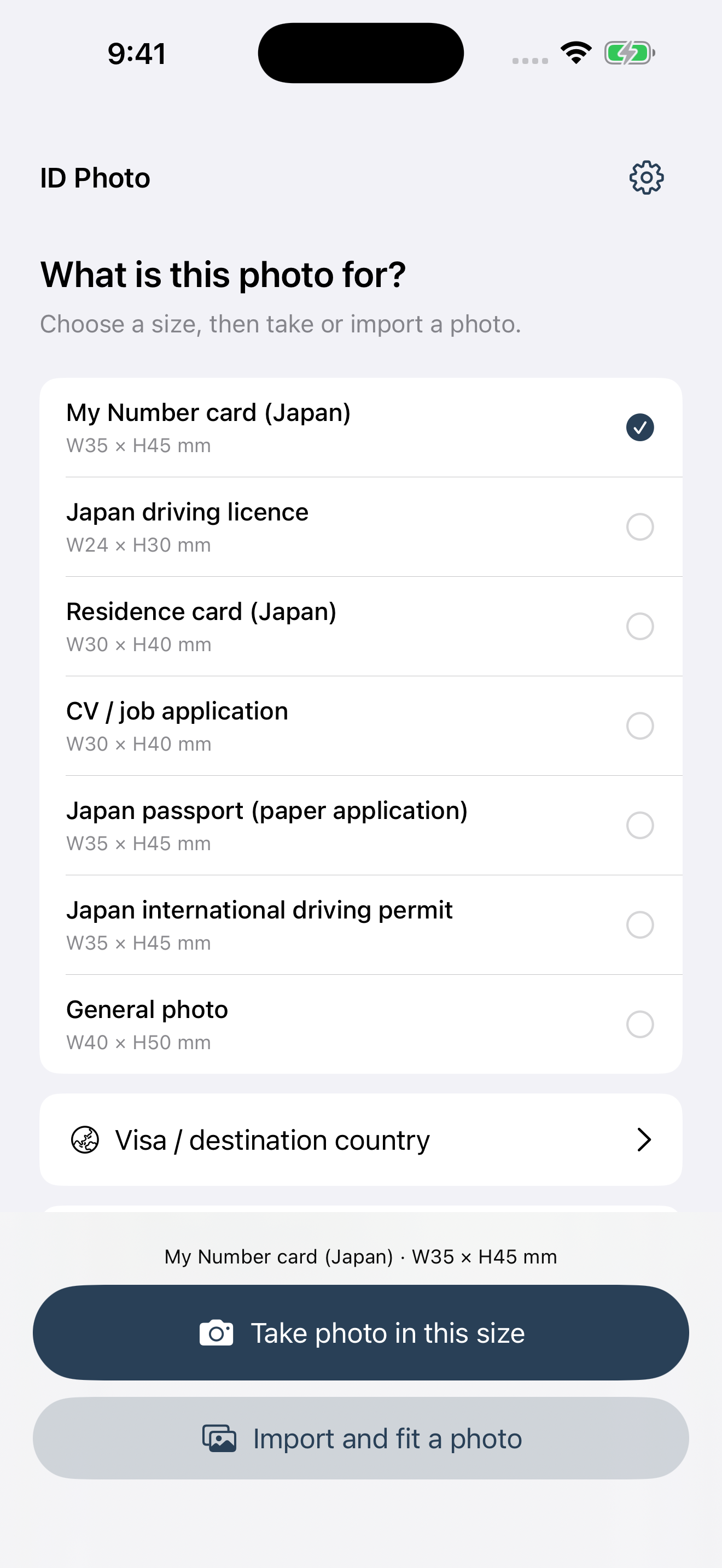
Choose My Number cards, residence cards, driving licences, CV photos and more. Select a country for visas, or enter a custom size.
- 02
Take, import and adjust
Choose a background and adjust hair and clothing edges. Fine-tune lighting, skin, redness, and face, neck and clothing shadows while viewing the photo.
- 03
Save, then print if needed
Create an individual JPEG or a print-sheet JPEG automatically arranged for L or 2L paper.
L / 2L
Before you print.
Printers may enlarge images or crop the edges. Even a sheet with outer margins cannot guarantee the final size. After printing, check the 30 mm scale and photo dimensions, then adjust the print correction if needed.
If a size does not fit L paper, use 2L. Custom sizes are arranged automatically too.
Common questions
Can I use a photo I already have?
Yes. Import a photo, adjust its size and position, then choose any edits you need.
Are my photos sent to a server?
Photo editing runs on your device. See the privacy policy for information about performance and usage metrics from the included SDK.
Will my photo be accepted?
Requirements and permitted edits differ by issuing authority. Check its latest official requirements. The app does not guarantee acceptance.
Support
Need a hand? Send an email.
Include your iOS and app versions and the steps that caused the issue. You do not need to attach a face photo.
Tips for a better photo
- If someone can help, try the rear camera. Clean the lens and use 1× from a little farther away to reduce the facial distortion of a close-up selfie.
- Choose a light, plain wall without patterns, furniture or strong colors. A wall color that differs from your hair and clothes makes edges easier to separate.
- Stand a little away from the wall. Face soft window light and avoid backlighting, direct sunlight or lighting only from above.
- Keep the camera level at eye height. Face forward with your shoulders straight and your chin neutral. Leave room around your head and shoulders for cropping.
- Keep hair clear of your eyes and check glasses for reflections. Check the receiving authority’s rules before using skin or face-shape edits.